Games That Pay Instantly to PayPal: Cashout Verification and Transfer Guide
Games That Pay Instantly to PayPal: Cashout, Verification, and Transfer Guide
Games that pay instantly to PayPal may send an eligible reward to a user’s PayPal account after the platform approves the withdrawal. The complete process can include three separate stages: the game or reward app approves the cashout, PayPal receives the payment, and the user decides whether to keep the balance in PayPal or transfer it to a bank or eligible card.
Timing distinction: A game advertising an instant PayPal payout is describing its own reward process. PayPal’s later transfer from the PayPal balance to a bank or card is a separate transaction with its own eligibility, fees, and timing.
How a PayPal Game Payout Works
- The user earns an eligible reward inside the game or app.
- The reward moves from pending to approved status.
- The user reaches the PayPal cashout minimum.
- The platform verifies the account and activity.
- The user enters or confirms the PayPal email address.
- The platform sends the approved reward.
- PayPal receives or processes the payment.
- The user keeps the PayPal balance or transfers it elsewhere. A delay at any stage can affect the total waiting time.
Three Different Meanings of “Instant”
| Claim | What It May Mean |
|---|---|
| Instant reward | The game updates the in-app balance immediately |
| Instant PayPal payout | The platform sends an approved reward without a scheduled weekly payment cycle |
| PayPal Instant Transfer | The user transfers a PayPal balance to an eligible bank account or debit card through PayPal |
These descriptions should not be combined into one guaranteed arrival time.
Set Up PayPal Before Starting
Preparing the PayPal account early can prevent a failed cashout.
- Use accurate legal information.
- Confirm the email address.
- Complete requested PayPal verification.
- Review whether the account can receive payments.
- Check the account country and currency.
- Secure the account with a unique password.
- Enable stronger login protection when available.
The Email Address Must Be Correct
Some reward apps send PayPal payments using the email address entered in the cashout form. A typographical error can send the payment to the wrong destination or cause it to remain unclaimed.
Before confirming:
- Check every character.
- Use an email address linked to your PayPal account.
- Do not use another person’s PayPal address.
- Take a screenshot of the confirmation page.
- Save the withdrawal reference number.
Account Names and Identity Matching
The reward platform may require the registered name to match the PayPal account. Mismatches can trigger verification or rejection.
Do not create a false identity or use a family member’s payment account to avoid eligibility rules.
PayPal Payout Minimums
The game determines its own PayPal minimum. A platform may offer:
- A lower minimum for PayPal than gift cards
- A higher minimum for the first withdrawal
- Different thresholds by country
- A fee for small cashouts
- A limited number of monthly withdrawals
Review the live reward menu because payout options can change.
Platform Approval Versus PayPal Processing
The reward app controls the first stage. It may review:
- Reward eligibility
- Offer tracking
- Identity information
- Device and account history
- Duplicate accounts
- VPN or emulator use
- Minimum cashout completion
PayPal controls the later payment-account stage. A game’s support team generally cannot accelerate a bank’s internal processing after an approved transfer has left the platform.
PayPal Balance to Bank or Card
After a reward reaches PayPal, the user may be able to transfer the balance to an eligible linked destination.
PayPal may offer:
- Instant Transfer: Usually faster and may include a fee.
- Standard Transfer: Usually slower and may have different fees or eligibility.
- Debit-card transfer: Available only for eligible cards.
- Bank transfer: Subject to bank clearing and account review.
The exact methods shown inside the PayPal account should be treated as current for that user.
Why a PayPal Reward May Be Pending
| Status | Possible Explanation |
|---|---|
| Pending in the game | The reward or sponsored milestone has not been approved |
| Processing in the game | The platform is preparing or reviewing the payment |
| Sent by the game | The platform reports that it transmitted the payment |
| Unclaimed in PayPal | The email may not be confirmed or linked correctly |
| Pending in PayPal | PayPal may be reviewing the transaction |
| Completed in PayPal | The funds reached PayPal, but a later bank transfer may still be required |
What to Do When the Payment Does Not Arrive
- Check the game’s withdrawal history.
- Confirm whether the request is pending, approved, or sent.
- Verify the PayPal email address.
- Check the PayPal activity page.
- Review spam and email notifications.
- Wait through the platform’s published processing period.
- Contact the game’s support with the reference number.
- Contact PayPal only when the issue relates to the PayPal account or an identifiable PayPal transaction.
PayPal Fees and Currency Conversion
The amount received or transferred can be affected by:
- The game platform’s withdrawal fee
- The type of PayPal payment
- Currency conversion
- Instant Transfer fees
- Bank or card eligibility
- Country-specific account rules
Review the final transaction details before confirming any transfer.
PayPal Reward Scams
Be cautious when a game or supposed support agent:
- Asks for the PayPal password
- Requests a one-time security code
- Claims a payment must be returned before a larger reward can be released
- Sends an email that only imitates a PayPal notice
- Requires a gift card or cryptocurrency payment
- Asks the user to upgrade the PayPal account through an unofficial link
- Claims an unexpected fee must be sent directly to an individual
Open PayPal directly instead of relying on a link in an unexpected email.
How to Protect a PayPal Cashout
- Use a unique PayPal password.
- Protect the connected email account.
- Do not share verification codes.
- Confirm the game’s official support address.
- Save payout confirmations.
- Review PayPal activity regularly.
- Do not allow another person to receive rewards for your account.
Frequently Asked Questions
Which games pay instantly to PayPal?
Available platforms and processing speeds change frequently. Compare the current cashout minimum, review period, verification requirements, and recent completed-payment reports.
Does instant PayPal payout mean instant bank delivery?
No. Receiving money in PayPal and transferring a PayPal balance to a bank or eligible card are separate stages.
Why is my PayPal payment unclaimed?
The email address may not be linked or confirmed, or the recipient may need to complete PayPal account steps.
Can I use someone else’s PayPal account?
This may conflict with identity and payment-ownership rules. Use an account registered to the eligible user.
Should I pay a fee to unlock a PayPal reward?
Do not send a separate payment to an individual or wallet. Legitimate fees should be disclosed through the official platform or payment interface.
The PayPal Cashout Standard
Games that pay instantly to PayPal should disclose the minimum reward, platform-review period, account-matching requirements, and fees before the user begins. Confirm when the app has approved the reward, when PayPal has received it, and whether a separate transfer is still needed to move the balance to a bank.
FAQ
Which game is legit and pays real money?
Bejeweled Champions, Bingo, Scrabble, Solitaire, Wheel of Fortune, and plenty of other classic games are available. And some tournament matches payout $10 to $50+ to winners. Cashing out is easy too, and WorldWinner offers deposits and withdrawals via PayPal, Apple Pay, and Mastercard. Start earning with WorldWinner!Sep 27, 2024
Which game can I play to win real money without deposit?
Blitz Win Cash is a popular iOS money app that has 10+ games you can play to win real money. It’s basically an all-in-one gaming app that pays. And you can compete in games of Bingo, pool, Match 3 puzzles, golf, and Solitaire money games.Sep 9, 2024
17 Game Apps That Pay Real Money Instantly in 2026
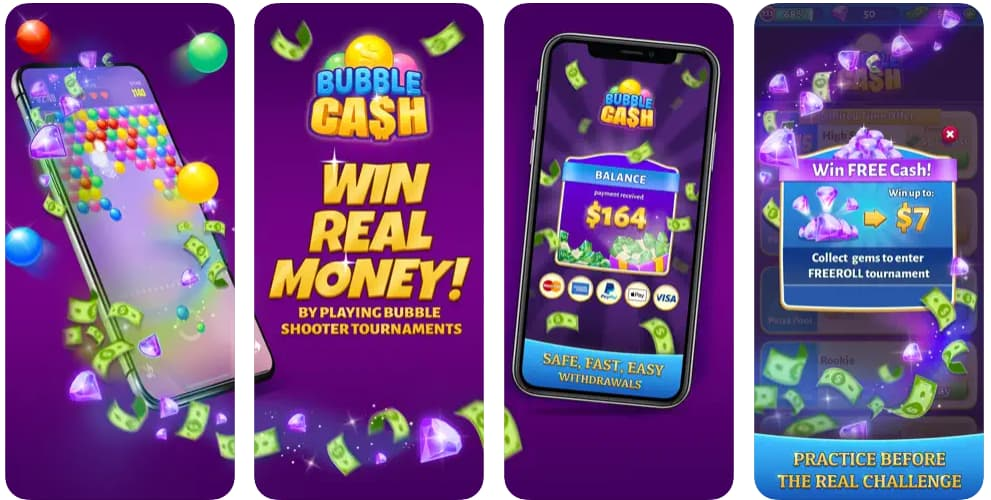
What Game Apps Give You Money Instantly? (2026 Verified List) Yes, some game apps actually pay real money instantly—or at least within hours—via PayPal, Cash App, or gift cards. After testing 17+ platforms in 2026, the fastest payouts come from Snakzy, Bigcash, and KashKick, with Blackout Bingo, Solitaire Cash, and Bubble Cash also delivering same-day cashouts. Top Game Apps That Pay Instantly 1. Snakzy First-day earnings: $10+ Payout speed: Instant PayPal Minimum cashout: None reported Best for: Quick first earnings 2.
Which game can I play for free and win real money?
While some games do use the click model (where advertisers pay the gaming company if someone clicks the ad), there are other games — like “Flappy Bird” — that use a pay-per-view model of ad revenue — meaning that every time someone sees the ad, the company makes dough source: Chayka.
What free games can you earn money?
What app pays you real money? Most money-making apps pay you real money; a few apps only provide gift cards. Swagbucks, Upside and Survey Junkie allow you to cash out to your PayPal account. If you prefer a check mailed to your home, Rakuten is the best pick.26 Jun 2024
Finding ways to make extra money is a common goal for many.
This site only collects related articles. Viewing the original, please copy and open the following link:Games That Pay Instantly to PayPal: Cashout Verification and Transfer Guide